Zero entries. Private by default. The administrative tax disappears.
Tymr drafts your day from the systems you already use. You don't clock in. You don't fill anything in at week's end. The default visibility is self-only — your record is yours.
What the daily review looks like
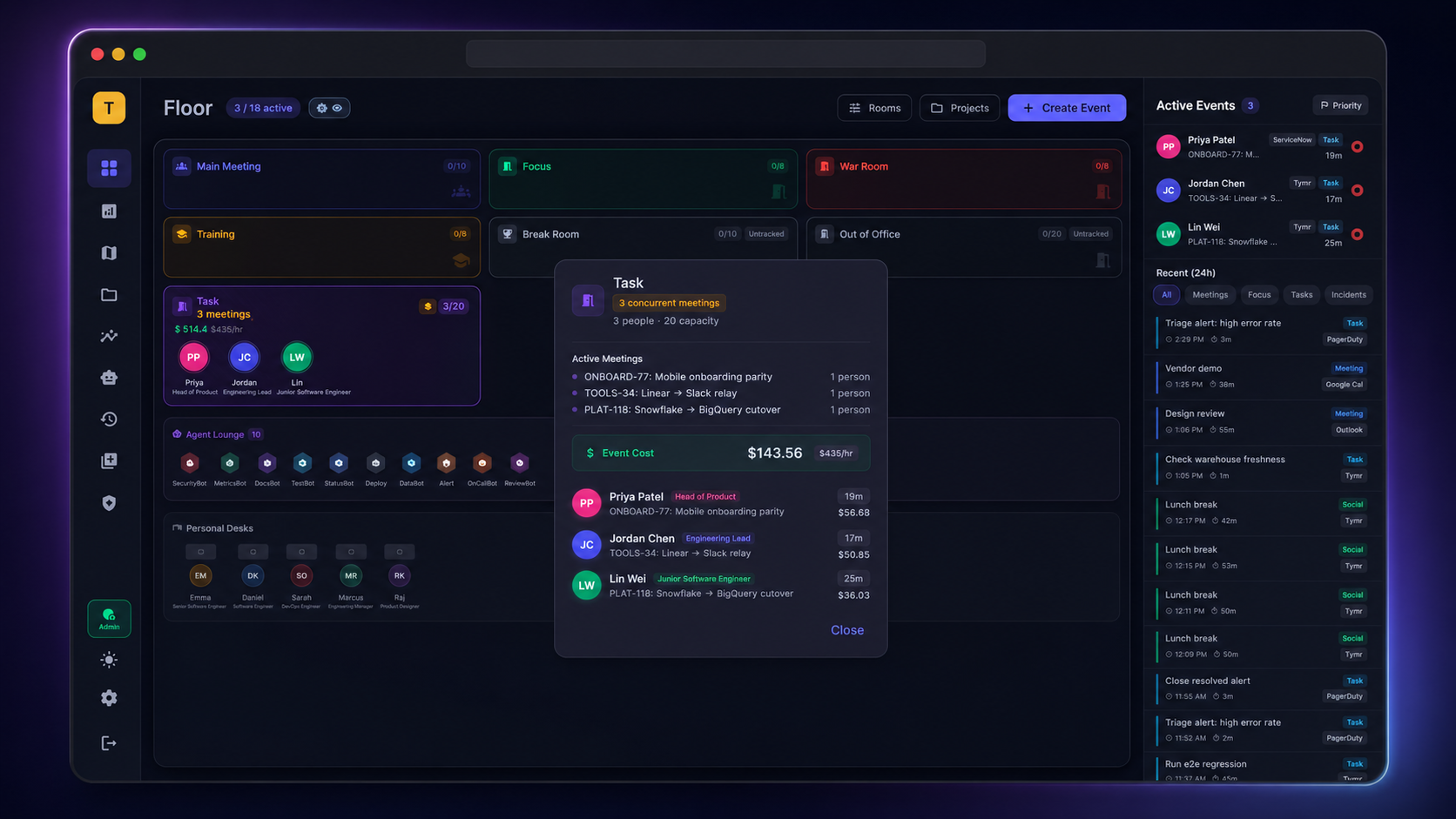
One screen. Your day, drafted from the meetings you attended, the tickets you moved, the commits and pull requests you opened, the incidents you worked, the channels you were active in. Confirm, adjust, or ignore — the ledger underneath gets built either way.
What's actually different
Most "modern" time tools still ask you to type. Tymr doesn't. The four things you'd want it not to do, it doesn't.
No timesheets. No clock-in / clock-out theater.
You don't enter anything to make the ledger work. The day is drafted automatically from the work that already happened in your tools.
Auto-drafted · per worker · dailyMy Time is yours. Floor visibility is opt-in.
The default visibility for every new seat is self-only. Manager-scope and floor-wide are opt-in by org. EU Works Council–compatible.
Self-only · opt-in wideningIf it's not work, Tymr doesn't track it.
Breaks, focus blocks marked private, and personal time on the calendar are explicitly off-limits to capture. By design.
Privacy Shield · integration-by-integrationThe daily review is under a minute.
A summary, a confirm button, the option to nudge an allocation. That's it. No survey, no spreadsheet, no Friday-afternoon ritual.
Daily auto-draft · review optionalPrivacy Shield, in one paragraph
What integrations can and can't see.
Every connected source has a Privacy Shield page in plain English: what scope is granted, what's read, what's never read. Calendar event titles can be hashed before storage. Slack message contents are never captured — only presence and channel-level activity. Code contents are never pulled — only commit and PR metadata. Visibility tiers (self / team / floor) widen by opt-in only. The page is open to every worker in the org.
What it isn't
Not a productivity tracker.
No keystroke scoring, no idle-time alarms, no leaderboards.
Not a surveillance tool.
Workers see their own record. Their record is theirs. Default-private, opt-in for everything wider.
Not a replacement for OKRs.
Tymr tells you where time went; you decide whether it should have.
Capacity, utilization, and true project cost — because the data underneath is real.
The picture you used to ask a spreadsheet for. Allocation heatmaps, project health, labor + non-labor cost in one column, OpEx/CapEx classification project-by-project, and a scenario planner you can run before you commit.
Cost & utilization, the way you actually want it
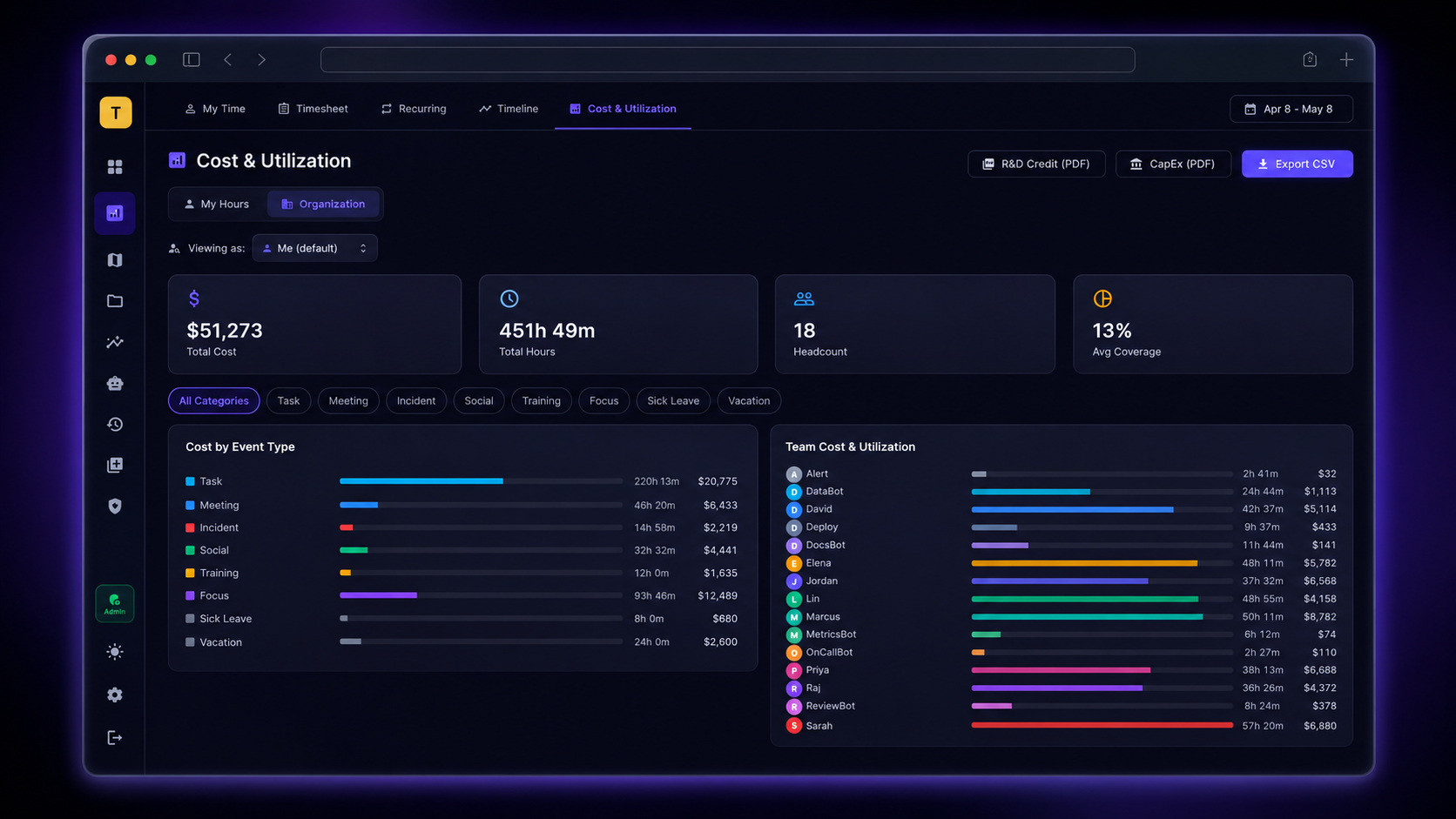
Friday afternoon. You want to know what the team cost this period, where it went, where the gaps and overlaps are. Tymr already did the math.
What the manager & PMO open every day
Four numbers managers and PMO leads ask for and never have. Built from events your team already produces — calendars, tickets, dev tools, ITSM, chat — plus AI agent runs through the same event substrate.
Where effort actually went, by initiative.
Per-worker, per-project hours updated in real time. Shows you which initiatives are getting effort, not which ones managers say they are. Built from your tools — no surveys.
Calendar · Jira · GitHub · ServiceNowLive project economics, labor + non-labor.
Project hours plus contractors, infrastructure, and consulting in one column. SPI/CPI per project. Red/amber/green with the underlying reason attached, not just a colour.
All sources · vendor costs · rate cardsAccounting classification, project-by-project, in real time.
Day-to-day expense work cleanly separated from work that belongs on the balance sheet — live, not at quarter close. Auditor-defensible because every hour cites a source event.
Per project · live · journal-entry readyThe dollar weight on every recurring meeting and P1.
Standing meetings, incidents, and agent runs costed in real time. Surfaces the recurring time that's worth keeping and the time that's bleeding capacity.
Calendar · PagerDuty · ServiceNow · agentsTrue project cost — vendors and hours in one place
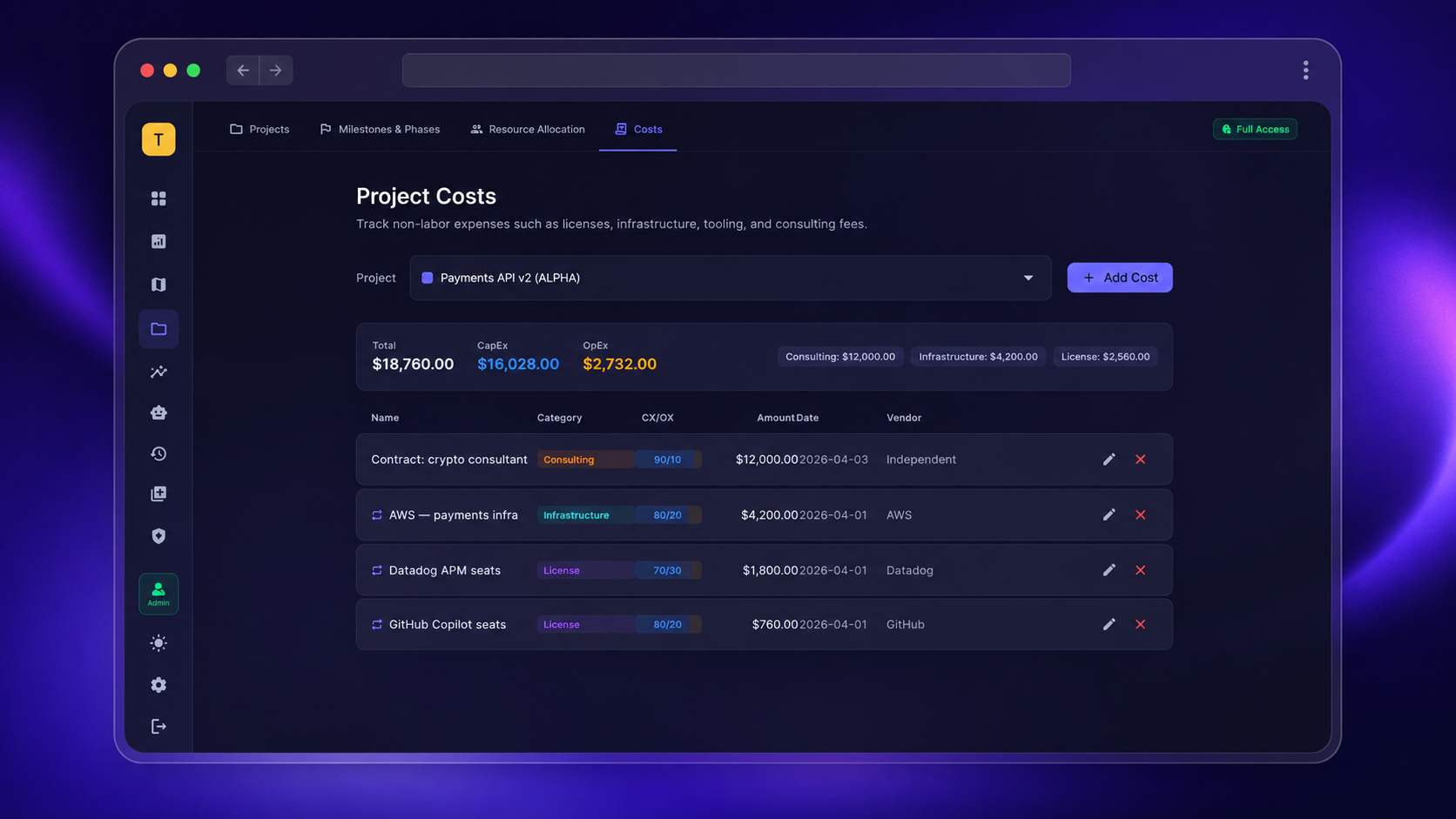
Most projects aren't just internal hours. They're internal hours plus a contractor, plus a hosting bill, plus a one-off consultant. Tymr rolls vendor costs against the same project codes — so the number you read on Friday is complete the first time.
Scenario planner
Run the what-if before you sign off.
Move workers and agents across initiatives, change rates, change contractor mix. Capacity and cost shift live, so the rebalancing call doesn't happen on a back-of-envelope. Save scenarios, compare them, send the comparison to the executive view without rebuilding.
Portfolio decisions on numbers that are real. Human and agent workforce, costed together.
Cost-benefit for go/no-go. Scenarios for the next quarter. Agent economics next to human cost — not in a separate deck.
One portfolio. One workforce. One lens.
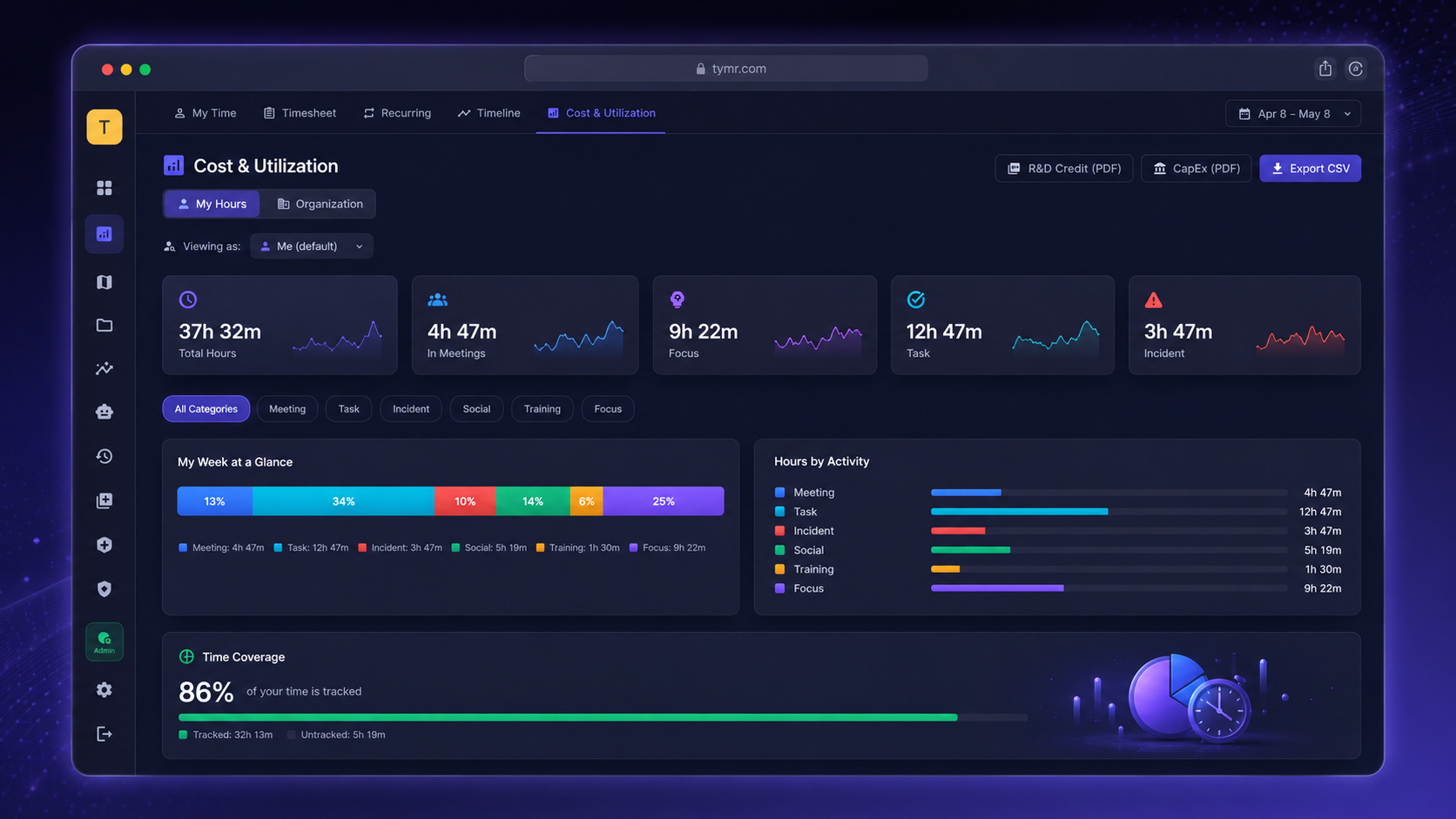
Where the organization spends its capacity, what it gets back, and how to shift the mix. Investment vs. run rolled up to the level your board reads. Same data your manager opens on Friday — rolled up to a different elevation.
What the executive view answers
Go / no-go on initiatives, framed by real capacity.
Each initiative carries live capacity demand, true cost (labor + non-labor + agent compute), and expected return. The conversation moves from "do we have the people" to "what does the trade-off cost".
Live · per initiativeRebalancing the mix before you commit.
Shift investment vs. run, human vs. agent, internal vs. contractor. See capacity, cost, and timeline move live. Save and compare scenarios for the board pack.
Saveable scenarios · comparison viewWhether the AI workforce is paying for itself.
Compute cost per agent, human review cost per agent, and the work each agent produced — in the same lens as human capacity and human cost. Not a separate slide.
UTEv1 substrate · per agentNumbers your board pack quotes without re-checking.
The board-level rollup is the manager view, summed. Same source. Same lineage. The auditor can walk from the rollup all the way down to a Jira ticket without leaving the system.
Same source as ops · lineage preserved